


Kids Coloring Pages & Book
4.422.00 Reviews
App Specs
- Version
- 1.4.7
- Updated On
- License
- Free
- Downloads
- 10,000,000+
- Developer
- IDZ Digital Private Limited
- Categories
- Educational
- Platform
- Android, iOS
Screenshots

 Analysis by AppCompare
I like the idea behind Kids Coloring Pages & Book: it gives young children a simple way to spend time choosing colors and filling in pictures, without needing paper, crayons, or a tidy-up afterward. That makes it useful for a quiet moment at home or a short wait when you have a phone or tablet handy. It is an educational coloring game from IDZ Digital Private Limited, aimed at pre-k and kindergarten children, and its appeal is strongest when an adult treats it as a small creative activity rather than a substitute for every kind of play.
There is a practical distinction worth keeping in mind: digital coloring is convenient, but it does not offer the same sensory experience as handling crayons or markers. I would use this as one option in a child’s activity mix, not as a replacement for drawing on paper. Its collection of ready-made pictures lowers the barrier for a child who wants to start straight away, while the act of choosing and applying colors can still invite independent decisions and conversation.
Where the coloring format works well
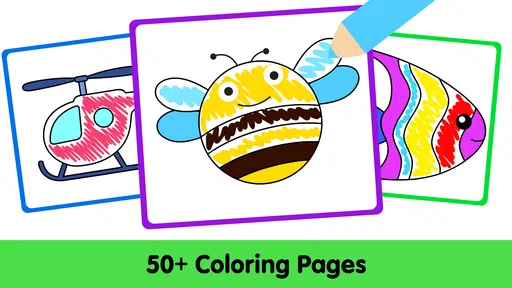
A collection of more than a hundred pages gives a child room to move between pictures rather than returning to one design every time. That matters in ordinary use: a child may be eager to color an animal one afternoon and want a different kind of picture the next. The pages provide a starting point, which can be reassuring for children who enjoy coloring but are not yet confident about drawing a whole scene from scratch.
I find the ready-to-color approach especially useful for a short, contained activity. A parent can offer a page while preparing a meal, or a caregiver can use it to help a child settle after a busy outing. The key is to make the task specific: “choose one picture and pick three colors” gives a young child a manageable invitation, while leaving room to experiment. That small prompt can turn tapping through choices into a more focused creative moment.
The app’s educational angle also makes most sense in these little exchanges. An adult can ask a child to name colors, find two objects that might be the same shade, or describe why they chose a particular color for a picture. The game does not need to carry the whole learning experience; it can be the visual prompt for a conversation. For early learners, that kind of back-and-forth is often more useful than simply leaving the screen to entertain them.
What parents should keep in mind
Any digital coloring activity asks a child to work through a screen interface, and that can be less forgiving than a large sheet of paper. A young child may tap the wrong place, change a color accidentally, or need help finding the part of a picture they meant to fill. Sitting nearby for the first session is sensible, both to show how the controls behave and to see whether the child can use them comfortably.
There is also a creative trade-off between filling in an existing picture and making a drawing from a blank page. Templates are a strength when a child wants a clear starting point, but they naturally guide the result toward the shapes already provided. If your child’s main interest is inventing characters, drawing freely, or practicing pencil control, a blank-page drawing app—or ordinary art supplies—will be a better match. I would choose this game for coloring practice, not as a complete art studio.
Worth Reading Before You Choose

EA SPORTS FC Mobile 26 Is a Bigger Football Game, but It Takes Time

Flipboard Shows What News Apps Must Do Beyond the Feed

Switching to Android Auto Means Rethinking Your Driving Routine

Google Calendar Makes a Crowded Week Easier to Manage

Ludo King Makes the Most of the Minutes Between Plans

Baby Panda World Brings Quick Play to Modern Phones, but Its Game Library Feels Busy
The app is free to download, though it includes optional in-app purchases priced at around five to six dollars per item. That is worth discussing before handing over a device: a child should know that paid choices require an adult, and a parent can decide whether the free experience is enough for their household. It is also rated for Everyone, but that rating does not replace a parent’s own judgment about when, where, and for how long a young child uses a screen.
A useful fit for particular moments
For a realistic everyday example, imagine a child waiting with you at an appointment. You could open the game, help them choose a picture, and let them work on it while you keep the device in your hands or within view. Because the activity has an obvious beginning—a page to choose—and a natural stopping point when the child is ready to move on, it can be easier to manage than an open-ended stream of videos. I would still agree on a stopping cue beforehand, such as finishing the current picture or reaching the end of the wait.
It is also a reasonable option for families who want a low-mess activity while traveling or visiting relatives. Unlike a pencil case and coloring book, the digital version does not need separate supplies, but it does depend on access to a charged device and a child being comfortable with touch controls. For a long journey, I would bring a paper alternative too: changing activities can help when a child gets tired of looking at a screen.
Compared with a traditional coloring book, the main advantage is convenience and the ability to choose from many pages without carrying a stack of books. Paper wins if you want a finished picture that can go on the fridge, a break from screens, or a way for a child to practice gripping and controlling a physical tool. Compared with a general drawing app, this game is more approachable for a preschooler who would rather color a recognizable picture than face a blank canvas. The right choice depends less on which format is “best” and more on what the child wants to do that day.
What to expect before installing
The game has a 4.3 average from around 5,200 ratings, and it has been installed over ten million times. Those figures suggest that many families have tried it, but they cannot tell you whether its controls or selection will suit your particular child. I would let the child try a short session and pay attention to whether they can choose a page and use the coloring tools without becoming frustrated. That quick test is more useful than assuming a popular children’s app will fit every age or temperament.
It was released in September 2021, and version 1.4.3 supports Android 5.1 and later. If you are using an older device, checking its operating system before installing is a practical first step. The game is free to start, with those optional purchases to consider, so a parent can weigh the available experience against the cost of any extras rather than treating the download as a commitment to buy more.
One helpful way to get more from a session is to set a tiny goal that has nothing to do with finishing quickly: choose a warm color and a cool color, or find a spot where two colors meet. Another is to ask the child to tell you a story about the picture after coloring it. These prompts add language and observation to the activity without turning it into a lesson or correcting the child’s choices. If the child would rather color quietly, that is fine too; the app can simply be a calm, bounded pastime.
What’s the Buzz About?
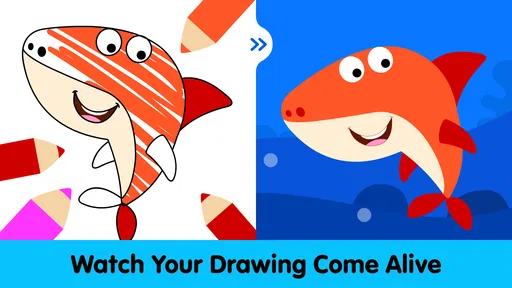
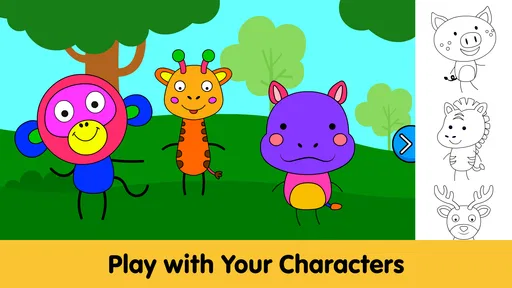
So, you know how kids can get all excited about coloring books, right? Well, Kids Coloring Pages & Book takes that excitement to a whole new level. The app is like a digital canvas, bursting with a variety of coloring pages that cater to every kid’s imagination. From animals and fantasy creatures to vehicles and holiday themes, this app covers a wide spectrum.
The user interface is friendly and intuitive, ensuring that even the youngest users can navigate through it with ease. The app doesn't just provide blank pages for coloring; it offers a vivid collection of templates that are ready to be transformed with a splash of color.
Features That Shine
One of the standout features of this app is its extensive library. Seriously, there are so many options that your kids will never run out of things to color! Each category is packed with detail, making it suitable for kids of all ages. Whether they want to color a majestic unicorn or a speedy race car, the choices are endless.
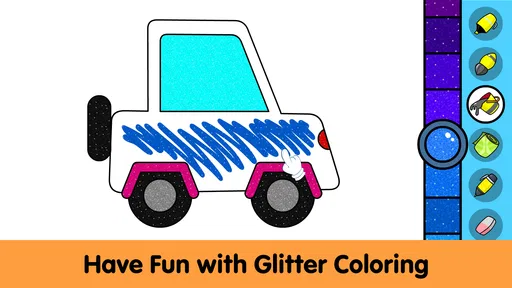
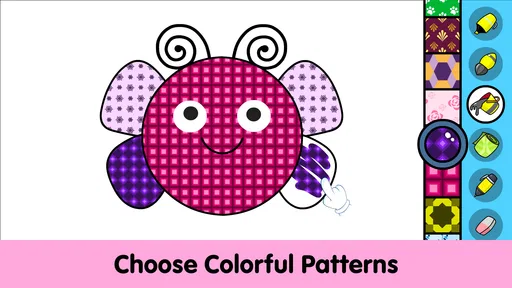
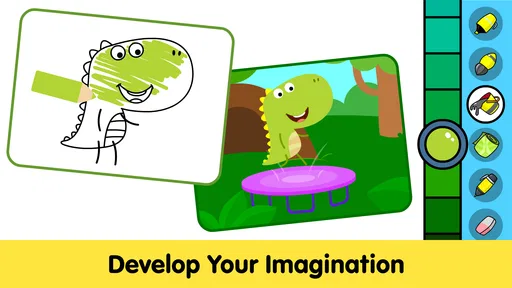
Now, let's talk about tools. The app provides a variety of coloring tools, from brushes to paint buckets, allowing kids to experiment with different styles. And the color palette? It's like a rainbow exploded! The multitude of colors available ensures that no idea is too wild or too vibrant.
Another nifty feature is the ability to save and share the masterpieces. Kids can save their work and proudly show it off to family and friends. It’s a great way for them to feel accomplished and boost their creativity.
Is It Worth the Download?
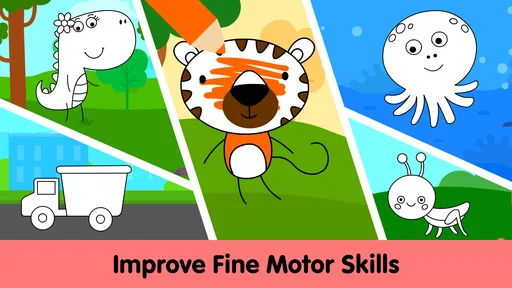
If you’re wondering whether this app is worth taking up space on your device, let me assure you—it’s a win-win situation. It keeps the kids entertained and engaged, which is a lifesaver when you need a moment of peace. Plus, it’s an excellent way to enhance their fine motor skills and creativity.
However, a fair heads-up: it might be a bit too engaging! Your kids might not want to put it down. But hey, if they’re learning and having fun, who’s complaining?
Oh, and the app doesn’t bombard you with ads every five seconds, which is a major plus in my book. No interruptions mean a smoother experience for the little artists.
Final Thoughts
To wrap it up, Kids Coloring Pages & Book is a delightful addition to any parent’s app collection. It’s engaging, educational, and oh-so-fun! Whether you’re at home or on the go, it’s a fantastic way to keep the kids entertained and encourage their creativity. So, if you’re ready to add a splash of color to your child’s day, go ahead and give this app a go. You won’t regret it!
Pros
- Wide variety of coloring pages.
- User-friendly interface for kids.
- Offline mode available.
- No intrusive ads.
- Encourages creativity and focus.
Cons
- Limited free content.
- In-app purchases can be pricey.
- Some coloring tools are basic.
- Lack of interactive elements.
- Occasional performance glitches.
FAQs for Kids Coloring Pages & Book
What age group is Kids Coloring Pages & Book suitable for?
Kids Coloring Pages & Book is designed for children aged 3 to 8 years old. The app offers a variety of coloring pages that cater to different skill levels, ensuring that younger children can enjoy simpler designs while older kids can tackle more complex images, enhancing their creativity and motor skills.
Does the app require an internet connection to function?
Kids Coloring Pages & Book can be used offline, making it a convenient option for parents who want to keep their children entertained during travel or in areas with limited connectivity. However, for updates or downloading additional coloring pages, an internet connection might be required.
Are there any in-app purchases or advertisements?
While Kids Coloring Pages & Book is free to download, it does contain optional in-app purchases for additional coloring books and features. The app may also display advertisements, but parents can opt for a premium version to remove ads and unlock all content, providing a seamless experience for children.
What types of coloring tools are available within the app?
The app offers a wide range of digital coloring tools, including crayons, markers, and brushes. Children can select from various colors and even use a fill tool for quicker coloring. These options help kids experiment with different artistic techniques and personalize their artwork.
Is Kids Coloring Pages & Book safe for children to use?
Kids Coloring Pages & Book is designed with child safety in mind. It features a simple, user-friendly interface and parental controls to prevent accidental purchases. The content is age-appropriate and free of any inappropriate material, ensuring a safe environment for children to explore their creativity.


